PO-450129 · Item A-103
Shortage risk · delivery date critical
numi automatically detects critical purchase orders, missing parts and delivery risks, prioritizes them by business impact and connects planners, purchasing teams and suppliers in a closed-loop process from ERP signal to confirmed response.
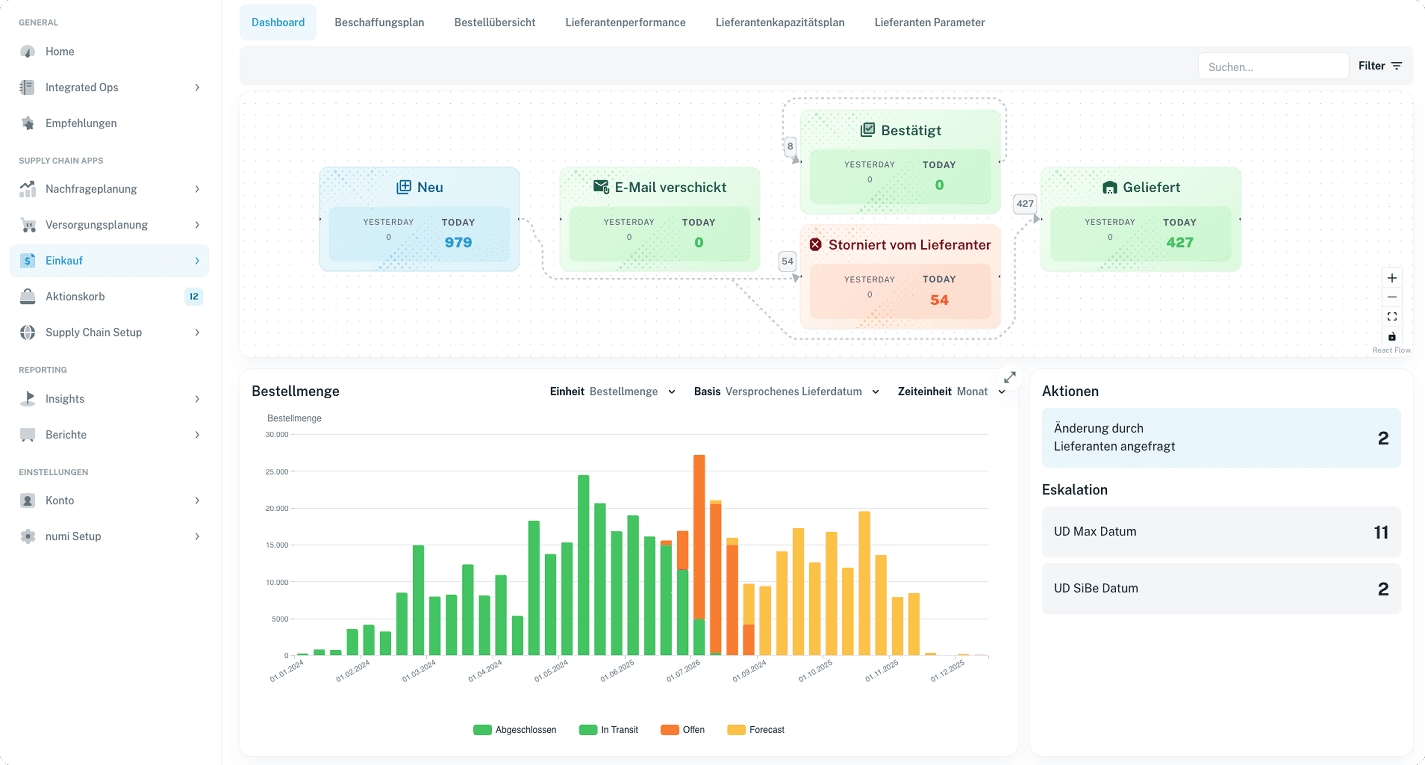
Supplier Cockpit
Critical purchase orders and delivery dates
PO-450129 · Item A-103
Shortage risk · delivery date critical
PO-450228 · Quantity too high
Excess-stock risk · demand decreasing
PO-450301 · Date critical
Escalation prepared for purchasing
Shortage risk
Critical purchase order detected
ERP data and SAP exception prioritized
Escalated to purchasing
Production risk
Priority: High
Supplier confirmed
New date: June 14
Quantity adjusted · risk resolved
ERP updated
PO change transferred
Confirmed update written back
ERP signal → risk → escalation → supplier → ERP
Used by procurement, dispatching, production planning, and supply chain teams with ERP-based purchasing processes
BENEFITS
numi turns scattered emails, spreadsheets and ERP exception messages into a structured process for critical purchase orders, delivery dates and supplier responses.
Critical purchase orders are detected, prioritized and coordinated with suppliers before production risks occur.
Clear escalations, transparent responses and binding confirmations improve supplier delivery performance.
Automated email workflows, structured responses and ERP sync reduce manual coordination work.
Date and quantity changes are documented, confirmed and transferred back to the ERP in a controlled process.
Actual results depend on supplier structure, ERP data quality, process maturity and escalation rules.
WORKFLOW
numi connects ERP signals, risk detection, escalation, supplier coordination and ERP updates in one closed-loop process for critical purchase orders.
Automatically prioritize critical purchase orders
numi calculates shortage, delivery-date and excess-stock risks from ERP data. In SAP systems, exception messages can additionally be consumed, structured and prioritized.
Open purchase orders are matched with inventory, demand, production orders and delivery dates.
numi also detects purchase orders whose quantity or timing may create excess inventory.
Critical POs are prioritized by production risk, revenue relevance and urgency.
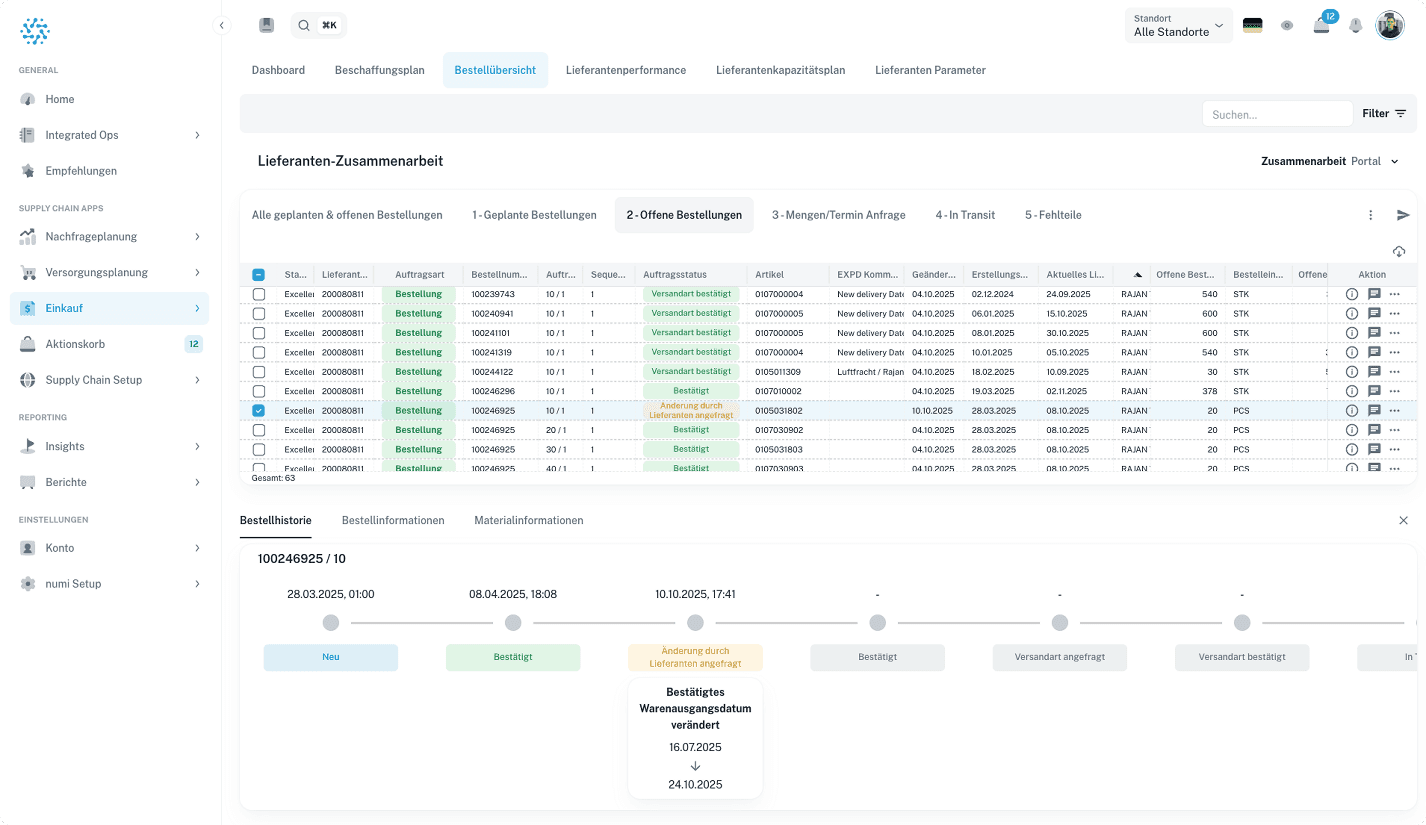
Planning and purchasing work from one shared risk list
Production planners and dispatchers can escalate critical purchase orders directly to purchasing.
Purchasing and planning teams work from one structured risk list instead of separate spreadsheets and email threads.
Every escalation has a status, owner, priority and next action.
Critical cases become visible before missing parts disrupt production schedules.
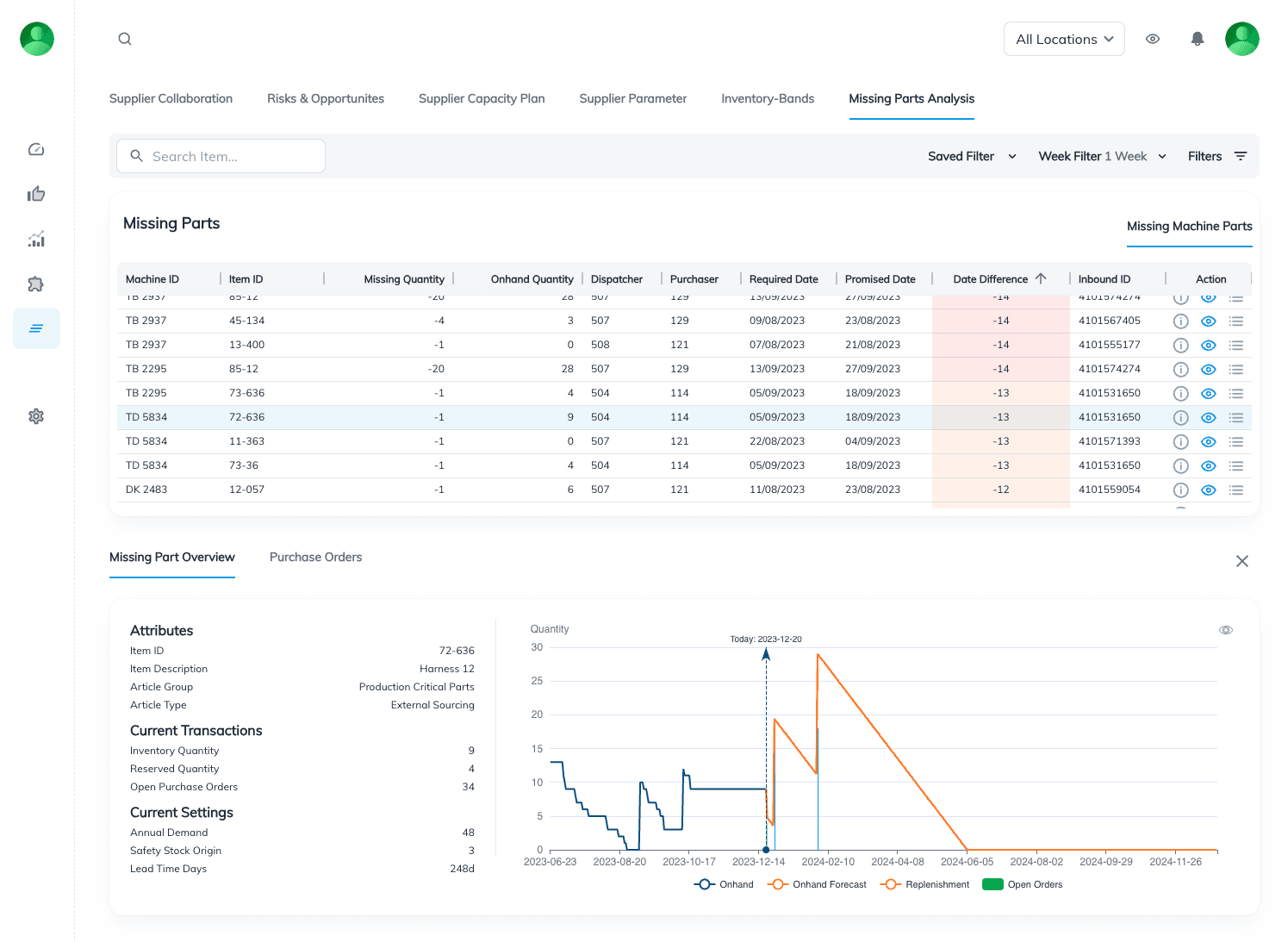
Via automated email or supplier portal
numi sends structured change requests including Excel files to suppliers and processes responses automatically.
Suppliers can log in, review purchase orders, confirm dates, adjust quantities or reject changes.
Use portal, email workflow or API — also for suppliers without EDI integration.
Supplier replies are captured in a structured way and made usable for purchasing, planning and ERP processes.
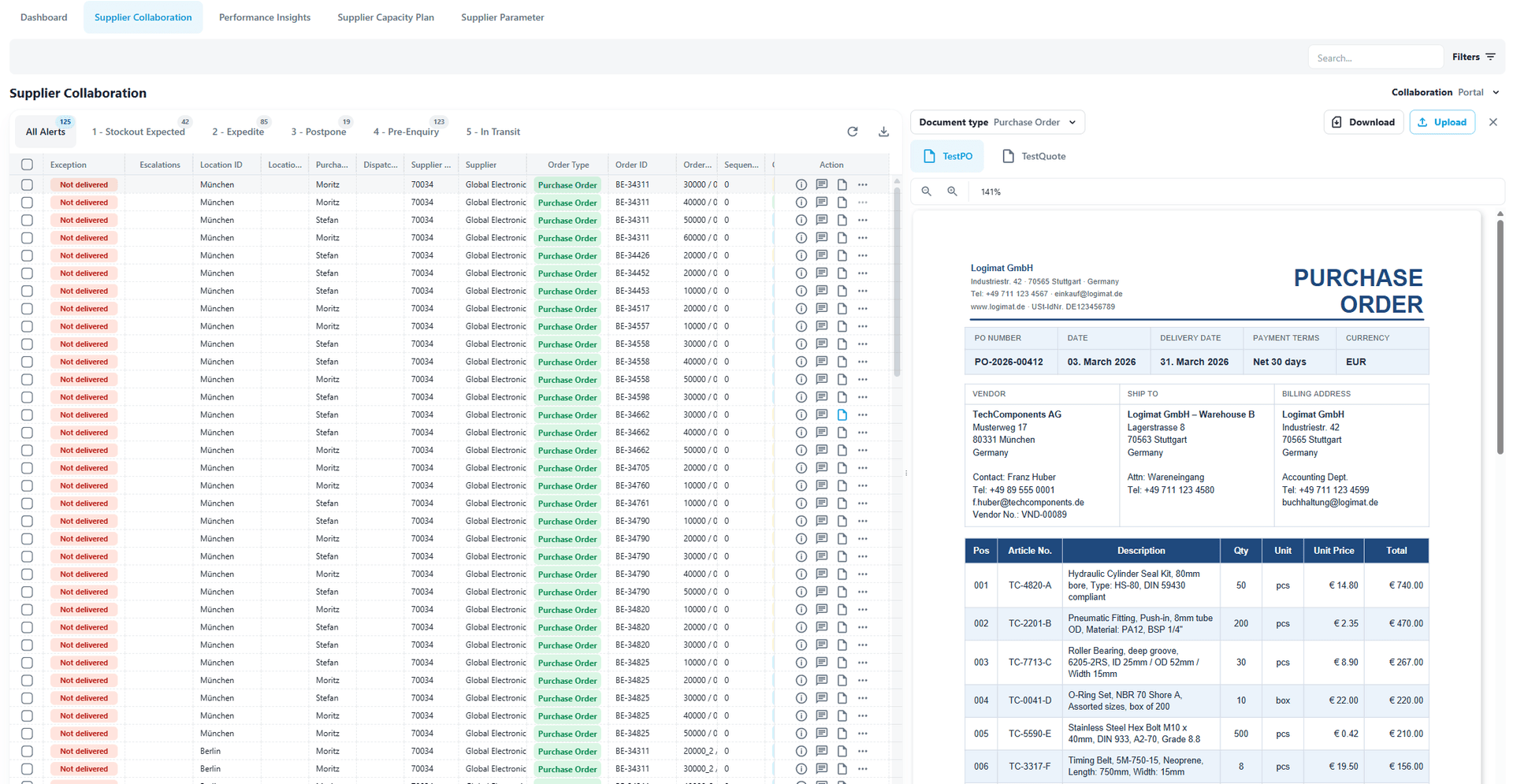
Sync confirmed changes back in a controlled way
Confirmed date and quantity changes are transferred back to the ERP automatically or through a controlled workflow.
Every change remains traceable — including original requirement, supplier response and decision.
Purchasing and planning teams always see which POs are open, escalated, confirmed or synced.
Recurring delays and critical suppliers become visible and manageable.
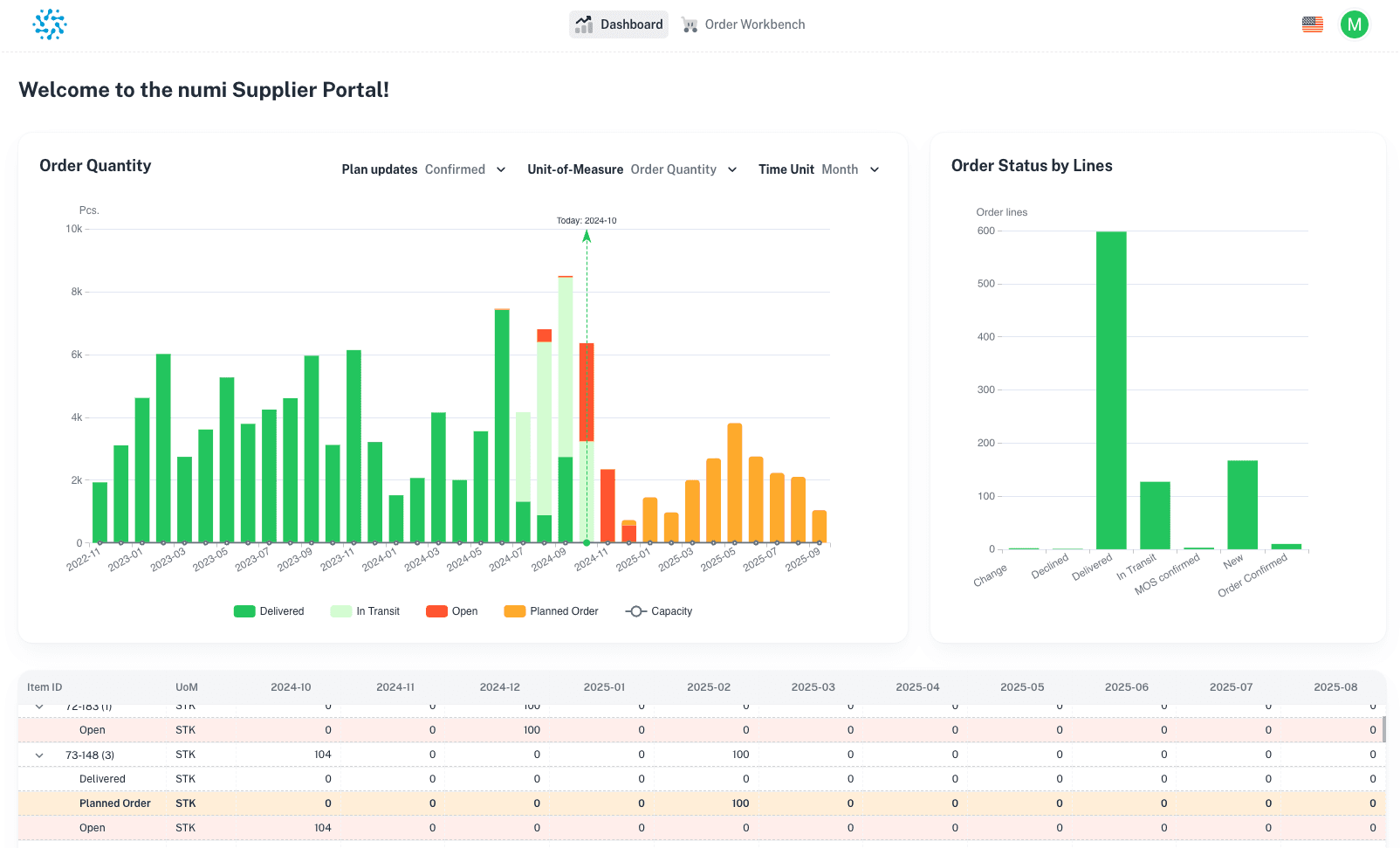
Manual follow-up creates blind spots in operational procurement. numi turns SAP exception messages, purchase order risks and supplier responses into a traceable PO collaboration workflow.
numi combines ERP data, SAP exception messages, inventory, demand and supplier responses to detect critical purchase orders automatically, recommend next actions and return confirmed changes in a controlled workflow.
PO Risk Engine
Prioritization active
Supply risk detection, shortage prevention, PO orchestration, supplier collaboration, and ERP-connected operational control.
Article focus
PO orchestration
Supplier collaboration for procurement and planning teams
The supplier portal is one part of the operating model: risk detection, escalation, supplier response and ERP sync work together.
Read how numi connects shortage detection, supplier collaboration, email automation and ERP updates to reduce manual follow-up and make purchase order changes traceable.
Use cases
numi supports teams that need to prevent shortages, coordinate suppliers and keep ERP purchase orders aligned with confirmed reality.
Let us show you how numi prioritizes critical purchase orders, structures supplier collaboration and syncs confirmed changes back into your ERP in a controlled workflow.